


 Maccy
 Pesty
 Recall
 ClipDock
Find a Mac clipboard manager for searchable history, pinboards, local-first storage or semantic search. This guide covers the tools in our Mac clipboard manager collection and explains where each one fits.
The comparisons below are based on published project descriptions and our catalog, rather than a hands-on performance benchmark. Features, pricing and availability can change, so check the linked project before installing.
At a glance
| App | Best for |
|---|---|
| Maccy | A lightweight clipboard history |
| Pesty | Visual history and pinboards |
| Recall | Searching by meaning |
| ClipDock | A local clipboard shelf |
1. Maccy: a lightweight clipboard history
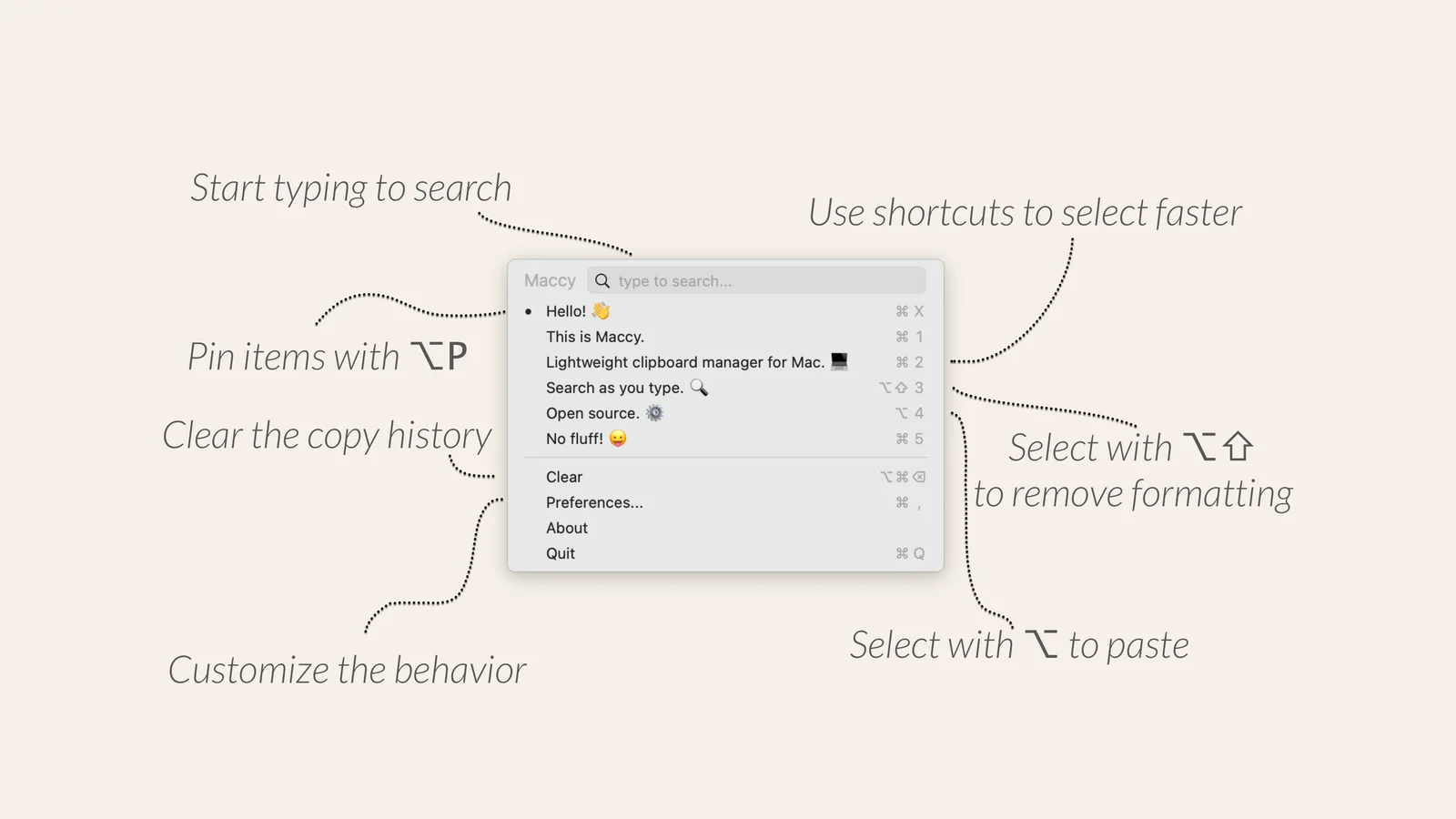
Maccy keeps a searchable history of copied items, supports keyboard navigation and lets you pin frequently used clips. It also supports pasting with or without formatting, making it a practical choice for a straightforward clipboard history.
Availability: Free and open source; macOS 14 or later.
2. Pesty: visual history and pinboards
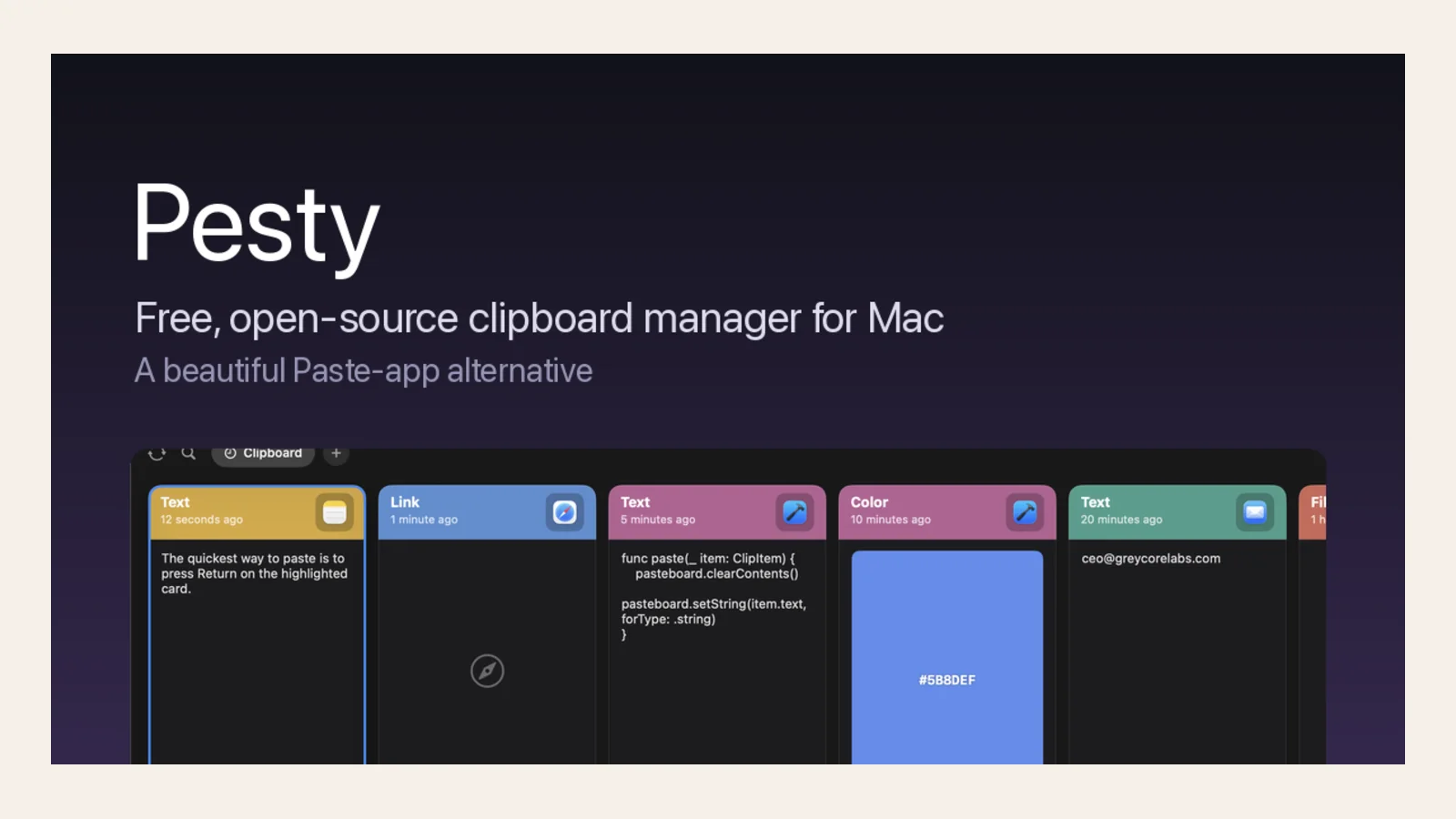
Pesty presents clipboard history as a color-coded strip and offers searchable clips, pinboards and keyboard paste. Optional iCloud sync is useful if you want your history across Macs.
Availability: Free and open source; an optional paid Mac App Store version is available. Requires macOS 14 or later.
3. Recall: searching by meaning
Recall is a local-first project that describes on-device semantic search, snippets and handling for sensitive credentials. It is interesting if remembering the meaning of a clip is easier than remembering its exact words.
Availability: Free and open source; requires macOS 26 or later. The catalog currently lists no downloadable release.
4. ClipDock: a local clipboard shelf
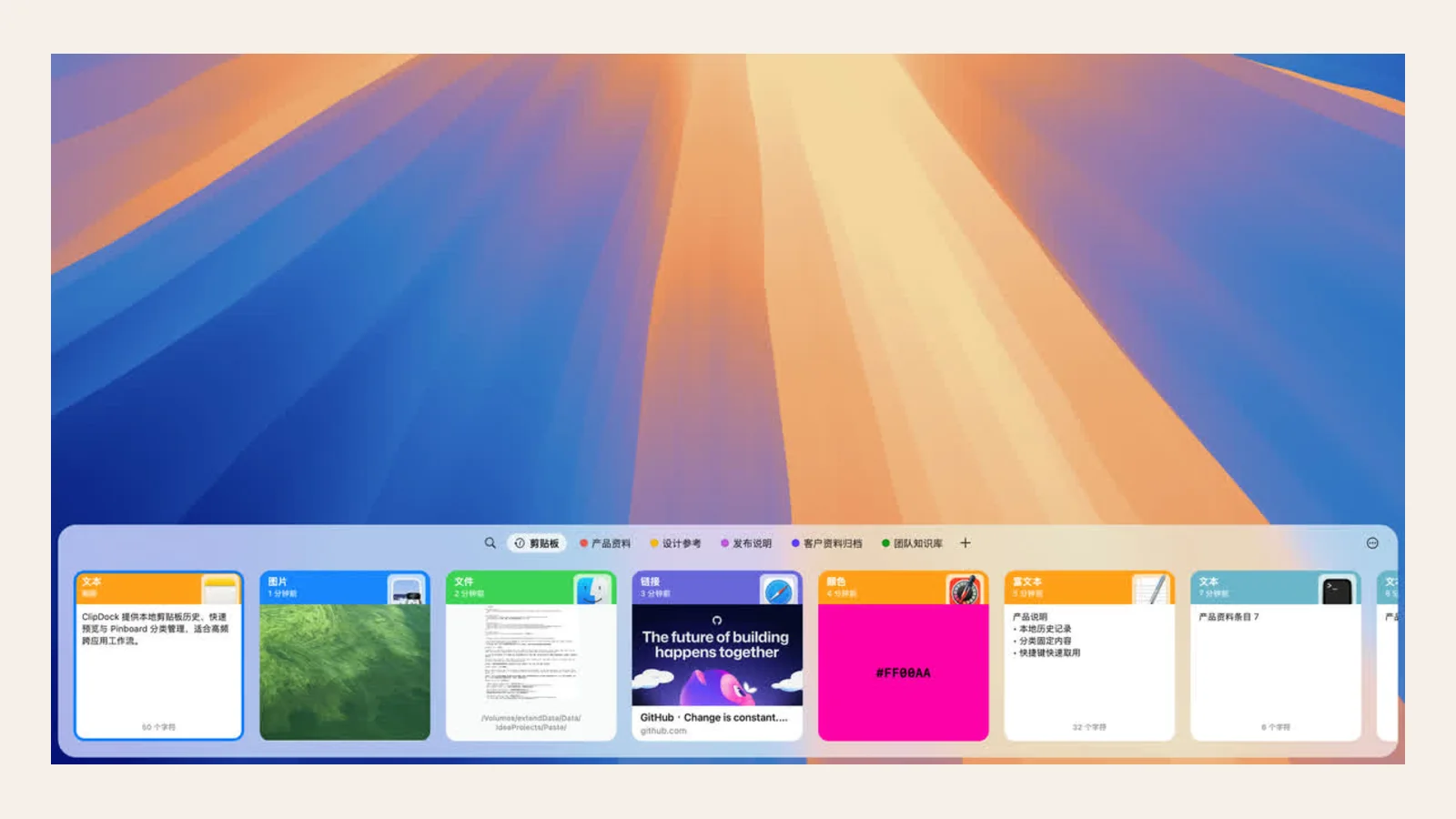
ClipDock describes a local-first shelf for searching, previewing, pinning and reusing text, links, colors, images and files. Its broader content support may appeal if you copy more than plain text.
Availability: Requires macOS 13 or later; its catalog listing says a public installer is planned for the first release.
Which one should you try?
For an app you can try now, start with Maccy for a lightweight keyboard-led history or Pesty for visual pinboards and optional iCloud sync. Recall and ClipDock are worth watching, but check their current release availability before relying on them.