


 UTM
 VirtualBuddy
 SwiftVM
 Colima
 Kiri
Want to try another operating system, test an app on a clean copy of macOS, or run a Linux development environment without leaving your Mac? The right tool depends on which of those jobs you actually need to do.
These five picks from our Virtualization category range from desktop virtual machines to developer tools. Colima and Kiri focus on container environments rather than general-purpose desktop VMs.
At a glance
| App | Best for | What stands out |
|---|---|---|
| UTM | Exploring different operating systems | Apple virtualization and QEMU emulation in one app |
| VirtualBuddy | Testing macOS on Apple silicon | A focused interface for macOS and supported ARM Linux VMs |
| SwiftVM | Managing VMs from the menu bar | Snapshots, shared folders and command-line tools |
| Colima | Container development | Docker, containerd and optional Kubernetes from the terminal |
| Kiri | Containers and Kubernetes | A desktop container environment backed by a Linux VM on macOS |
1. UTM: the versatile starting point
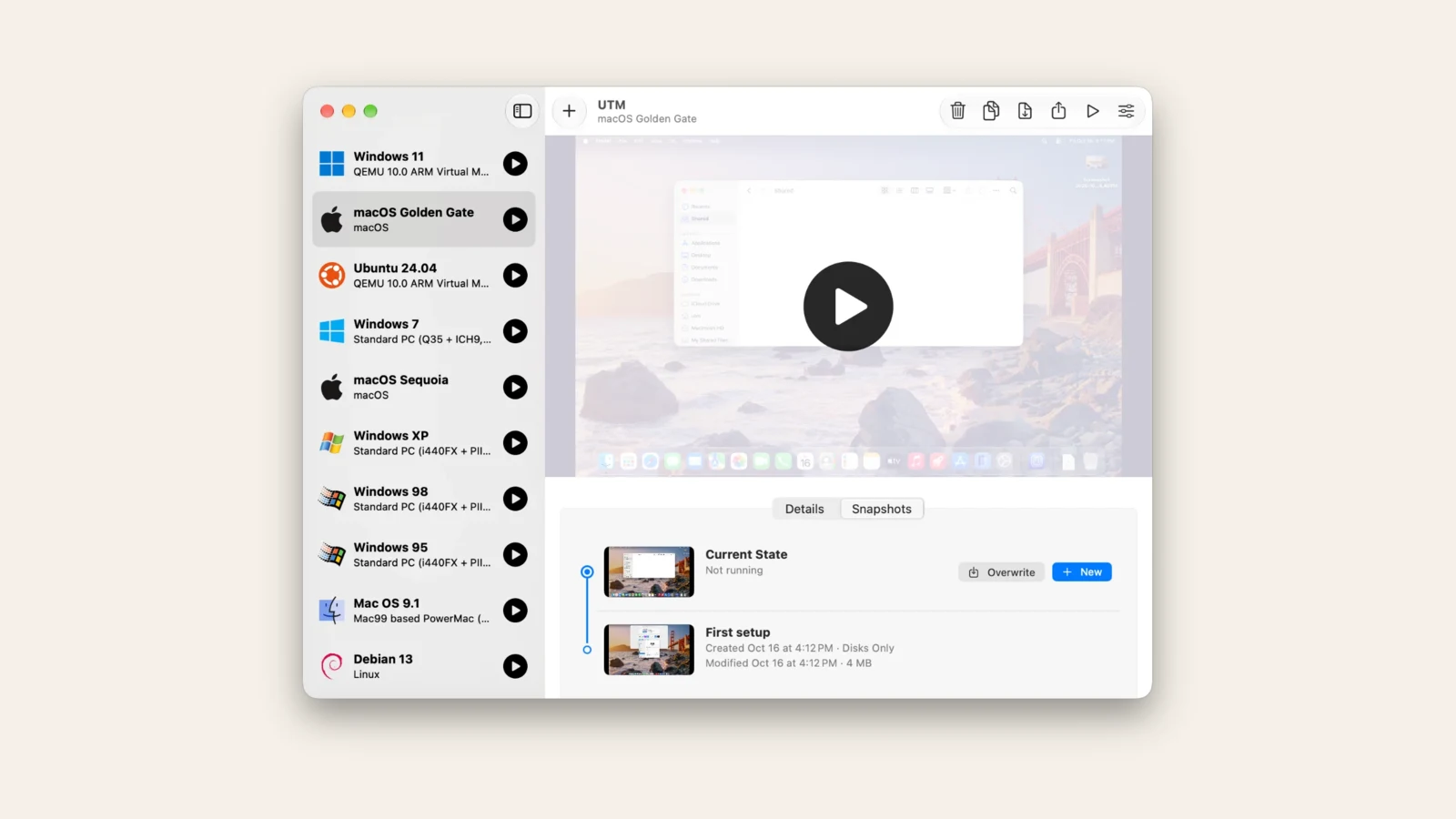
UTM is a good first stop when you want to experiment with more than one kind of operating system. It brings Apple virtualization and QEMU emulation into a Mac app, so you can choose the approach that fits the guest system and your hardware.
What stands out
- A broad range of guests. Use it to explore different operating systems instead of committing to one development workflow.
- Virtualization and emulation. Native virtualization suits compatible guests; emulation opens the door to other architectures, with a performance trade-off.
- Accessible pricing. UTM is open source and available as a free download, with an optional paid Mac App Store version.
Choose UTM if you want a general-purpose tool and are happy to spend a little time understanding guest architecture and configuration. Check the requirements for the particular OS you plan to install.
2. VirtualBuddy: a focused macOS testing companion
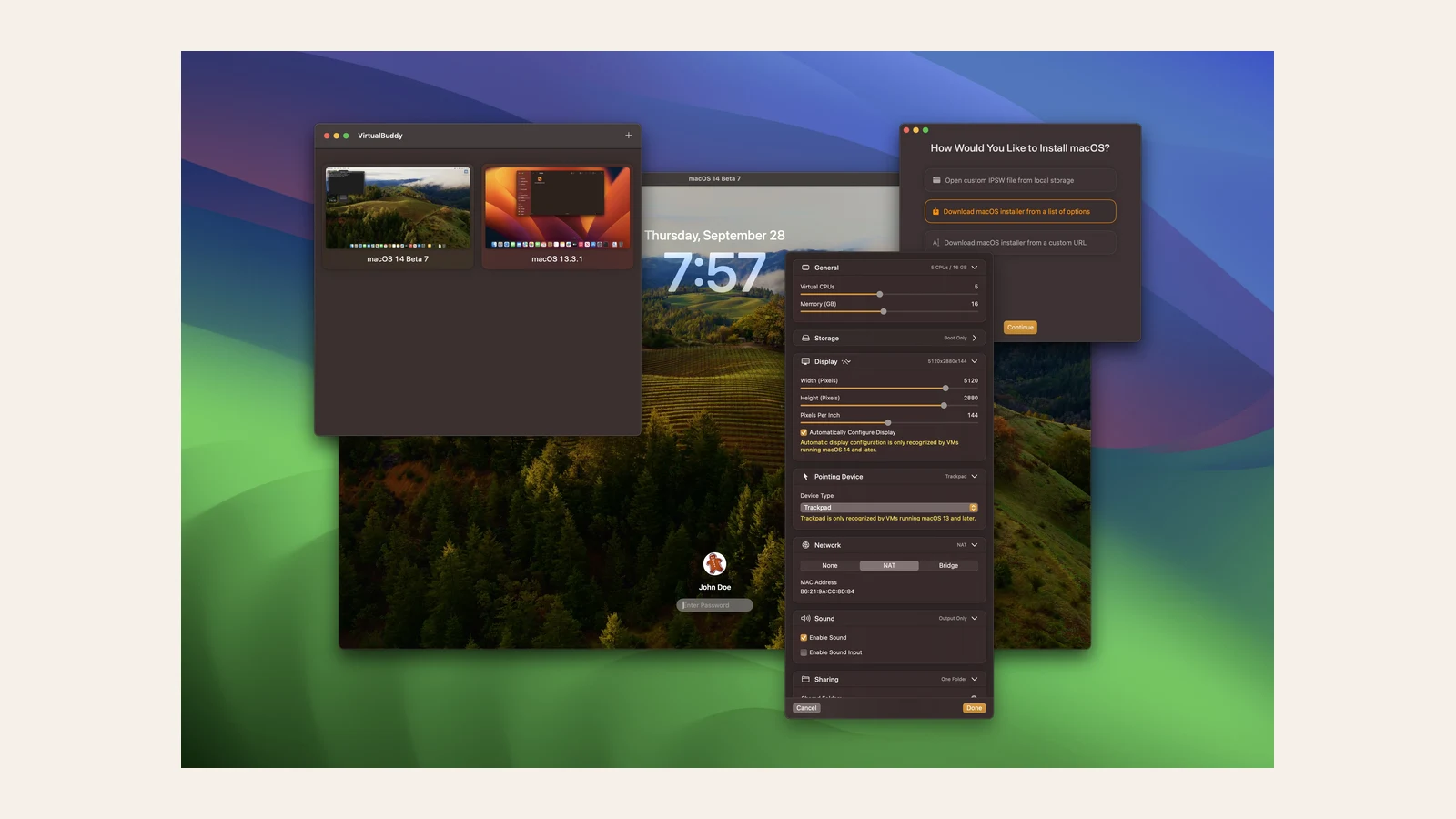
VirtualBuddy is aimed at Apple silicon Macs and makes creating and managing macOS virtual machines its central job. It also supports ARM Linux guests. If your main task is testing software in another macOS environment, its narrower focus is an advantage.
What stands out
- Built around macOS guests. A useful fit for trying software in a separate macOS environment.
- Apple silicon focus. Designed for ARM-based Macs rather than broad cross-architecture emulation.
- Open source. The project is free to use and its source code is available.
VirtualBuddy requires an Apple silicon Mac and macOS 13 or later. It is a more focused choice than UTM if macOS testing is the reason you need a virtual machine.
3. SwiftVM: virtual machines within reach
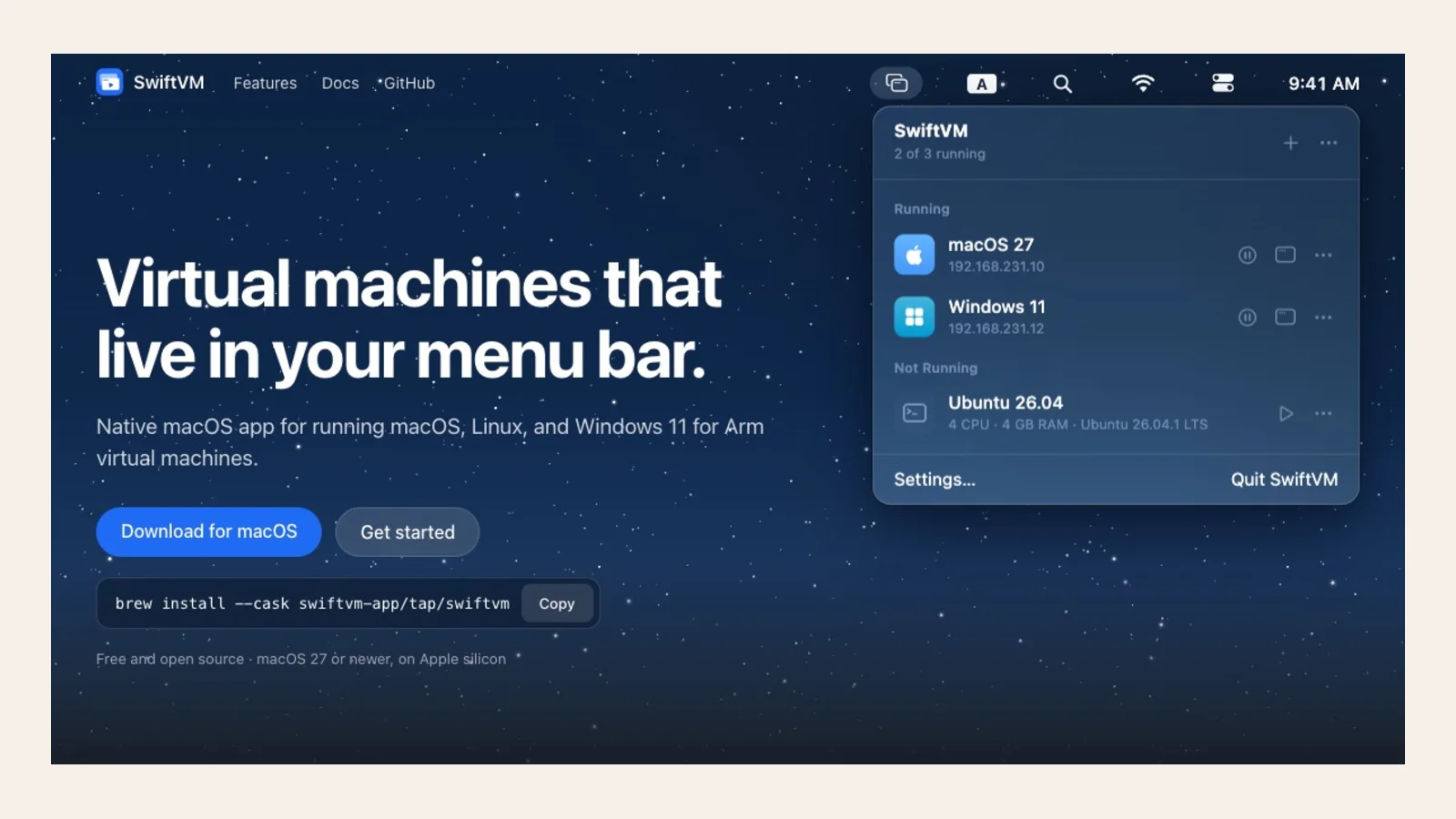
SwiftVM puts VM management in the menu bar and supports macOS, Linux and Windows 11 for ARM guests. It is worth considering when you use virtual machines regularly and want them close at hand.
What stands out
- Menu-bar access. Manage machines without treating a large VM window as your starting point.
- Snapshots and shared folders. Keep restore points and move work between the Mac and a guest environment.
- Command-line tools. Useful when part of your workflow lives in Terminal.
SwiftVM requires Apple silicon and macOS 27 or later according to its current catalog listing. Check guest OS requirements and licensing separately, especially for Windows.
4. Colima: container runtimes from the terminal
Colima is a command-line tool for running container environments on a Mac. It is a good fit when you need Docker-compatible development workflows rather than a graphical desktop virtual machine.
What stands out
- Multiple runtimes. Choose Docker, containerd or Incus for your workflow.
- Kubernetes and profiles. Start a local Kubernetes environment and maintain separate configurations.
- Developer conveniences. Use volume mounts and automatic port forwarding to connect your work.
Colima is open source and a good fit if you are comfortable with the command line. For a guided desktop VM experience, start with UTM or VirtualBuddy instead.
5. Kiri: a home for containers
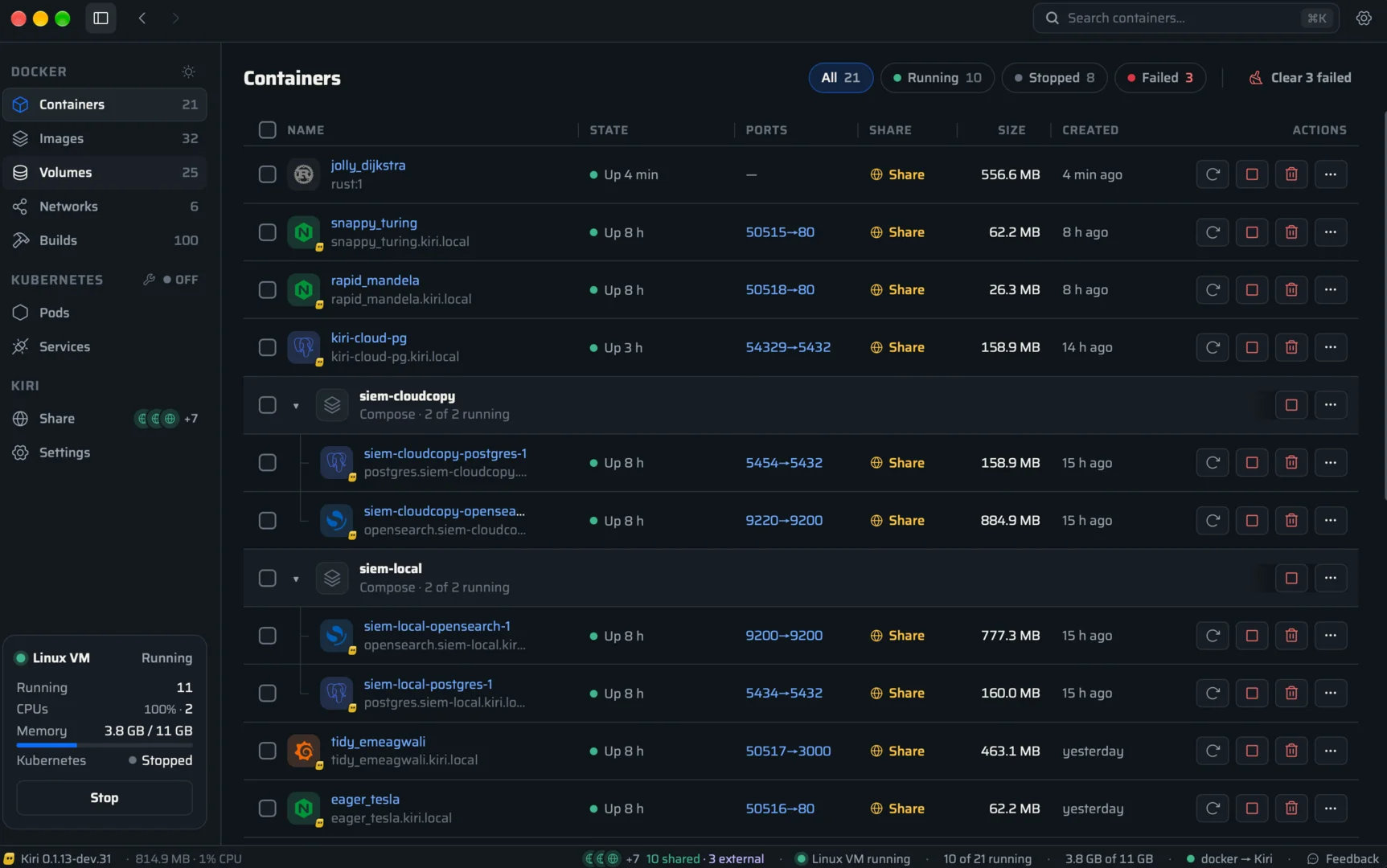
Kiri is a container runtime and desktop management app. On macOS it uses a Linux virtual machine to support container workflows, but its main interface is for working with containers and related development tools rather than managing a collection of desktop operating systems.
What stands out
- Docker CLI and Compose workflows. Continue using familiar container commands.
- Images, containers and Kubernetes. Manage common pieces of a local development environment from one app.
- Linux machines and sharing. Run Linux machines and share a container through a public HTTPS link when needed.
Pick Kiri if your real goal is running containers. It is currently listed as free and in beta, so check the project for current availability and limitations before adopting it for a team.
Which one should you try?
Start with UTM for a flexible desktop VM, VirtualBuddy for macOS testing on Apple silicon, or SwiftVM if menu-bar access and snapshots fit your routine. Choose Colima for a terminal-led container workflow and Kiri for a desktop interface to containers.
Before installing a guest, check that its architecture works with your Mac and the selected app. Also allow enough memory and disk space, and check the guest operating system’s license.